IMAGINE THIS.
Clients can design their yard on your website.
That’s revolutionary.
TRY IT HERE.
TRY IT
WHAT IS  ?
Your Website’s Cutting Edge
AI Designer and Lead-Capture Tool.
With aqui, homeowners create personalized renderings based on their needs, style and budget, right on your website.
Their contact information and designs are captured automatically, giving you a head start before the first conversation.
- Turn browsing into buying.
- Capture leads before they click away.
- Stand out before the first conversation.
THEIR VISION.
YOUR NEXT PROJECT.
PLAY ME


A confident choice.
MAKE YOUR MARKETING
WORK HARDER.
The Click Is Just the Start.
You’ve paid to get visitors to your website. Now make them stay.
aqui turns browsing into creating, helping homeowners imagine what you could build for them.
- Our interactive tool makes them stay.
- Increase website engagement.
- Reduce bounce rates.
- Generate more qualified leads.
- Improve conversion potential.
- Get more from every marketing dollar.
TURN INSPIRATION INTO
YOUR NEXT PROJECT.
WITHOUT aqui
Looks around, then leaves.
No name.
No number.
WITH aqui
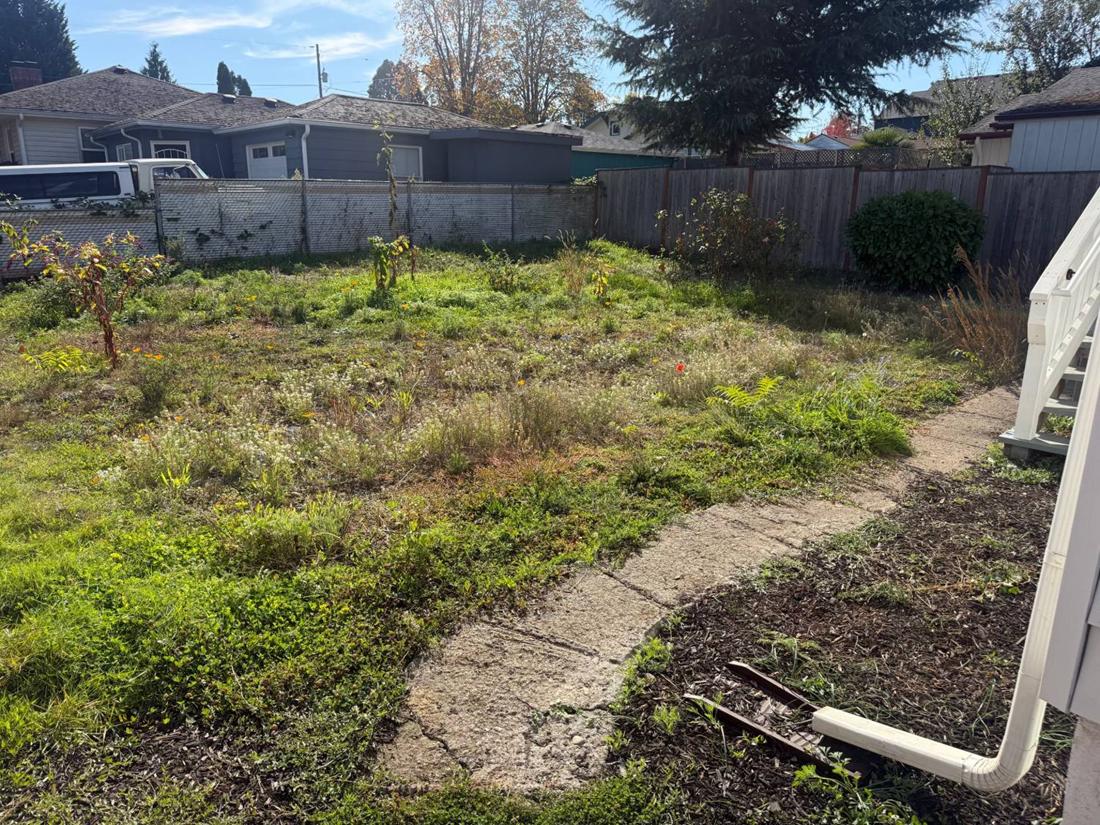
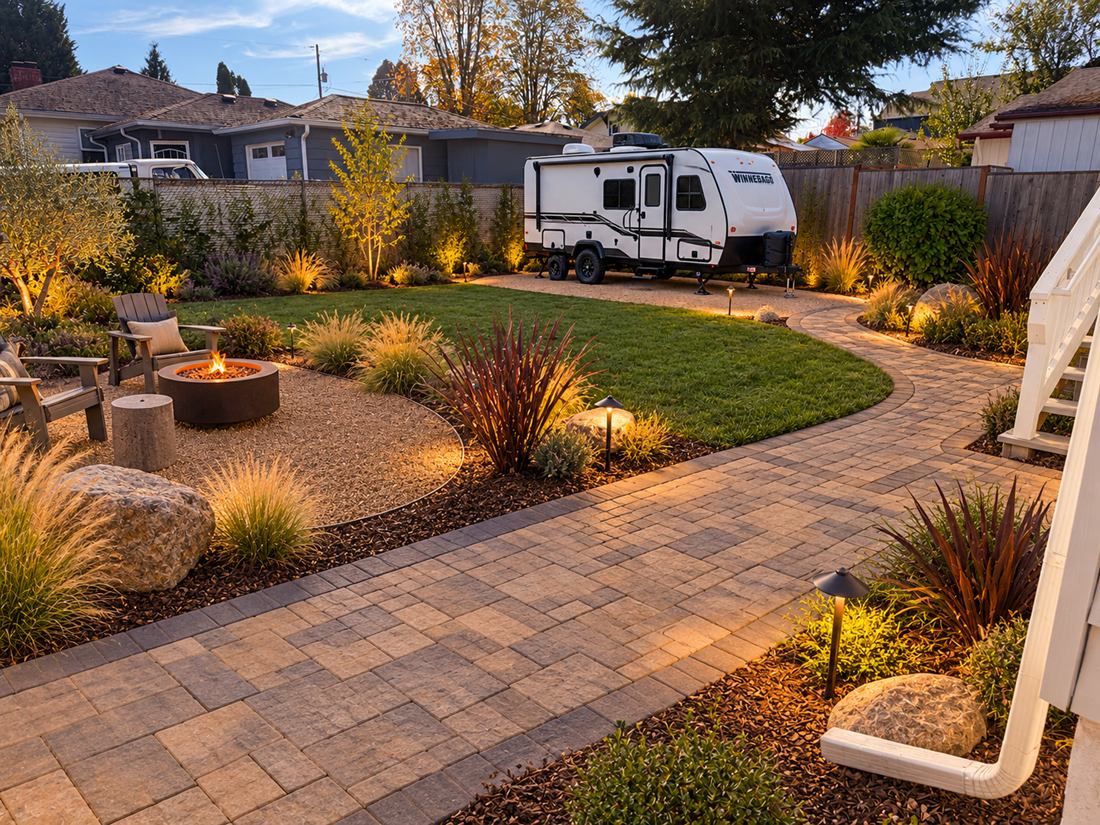
Stays and designs their yard.
DON’T LET OPPORTUNITY
WALK AWAY.
Turn Browsers Into Leads.
Homeowners share their information to create their rendering. You receive their contact details and personalized designs directly in your aqui dashboard.
- More leads from existing traffic.
- Customer contact information.
- A visual of what they want.
- Better-informed sales conversations.
KNOW WHO THEY ARE.
SEE WHAT THEY WANT.
Leads2 newHannah Brooks
Needs a callCame in 3 hours ago from your website
Where it stands
Tap a step when it happens.They finished it 3 hours ago. Once you have talked, tap Called them above.
What they want
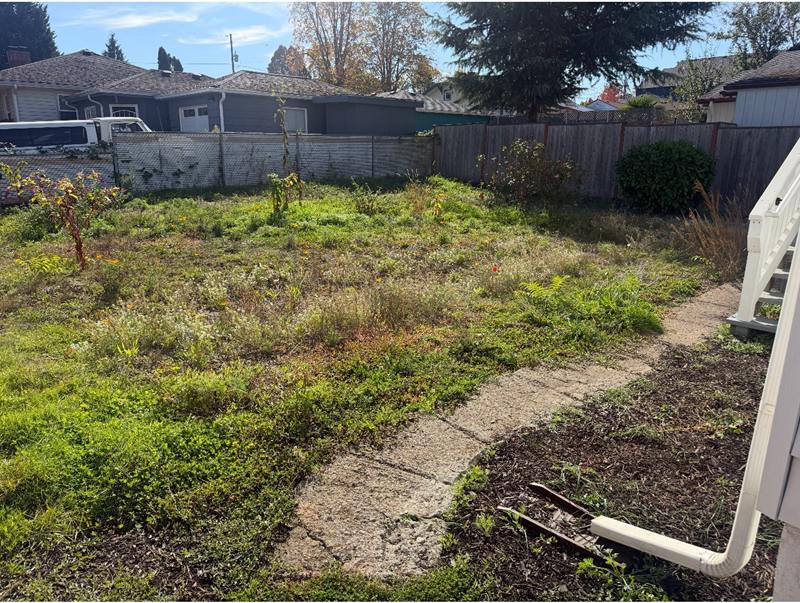
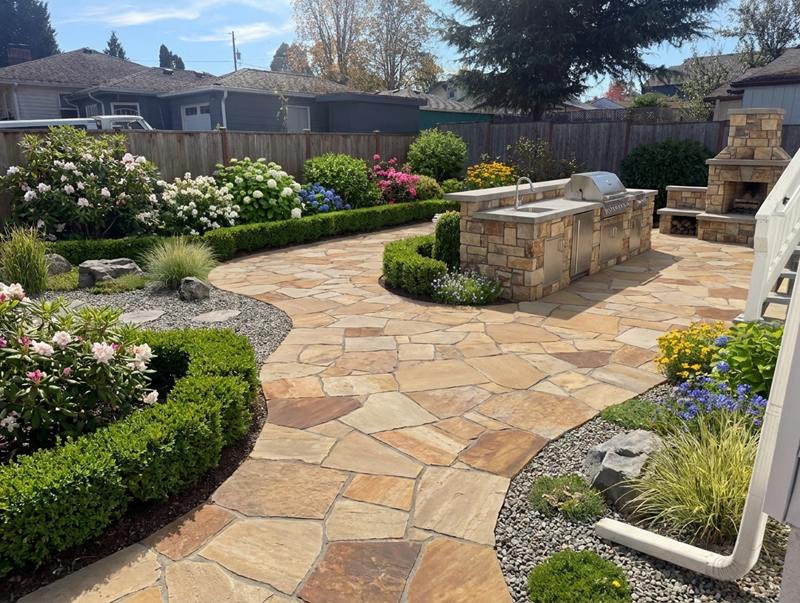
They tried 3 versions before settling, a good sign.
- Area
- Back yard
- Scope
- Light refresh
Your prices, not ours. Every line in this number is one you set yourself.
- (713) 555-0162
- hannah.brooks@example.com
- ZIP 77005
What has happened so far
Everyone on your team sees this- Hannah Brooks designed their back yard and sent it in from your websiteToday, 12:39 AM
MORE THAN A TOOL.
A COMMUNITY.
Winning Together.
Connect with fellow contractors, industry leaders, attend exclusive events and earn aqui Swag Points for:
- Hitting milestones.
- Sharing on social media.
- Submitting before-and-after photos.
Redeem points for exclusive aqui gear.
YOUR aqui.
Come be a part of it.
DO THE MATH.
More Leads. Same Traffic.
How many potential customers leave your website without ever reaching out?
aqui gives them a reason to share their information, turning missed opportunities into leads.
WHY WOULDN’T YOU?
ONE SIMPLE ADDITION.
A whole new experience.
Your website brings them in.
aqui brings their ideas to life.
You turn those ideas into sales.
SEE IT HERE. SELL IT HERE.
FAQ
Everything people ask before they start.
What it is
What is aqui?
A design tool that lives on your website. Homeowners upload a photo of their yard, choose what they want, and see a design of their own yard. You get their contact details and a ton of details about the project, including their budget range, the features they picked, their photo and their design.
What does a homeowner actually do on my website?
They click the button, upload a photo, and pick a budget range and the features they want. They then enter their name, email, phone and ZIP to see their design, which usually comes back in under a minute.
How does this get me more leads from the traffic I already have?
Many visitors leave a website without ever reaching out. aqui gives them something to do on your site and a reason to share their details, because that is how they see their design.
Is it only for landscapers?
It is built for landscaping and outdoor work, including patios, walls, decks, fences, pools, lighting, water features, lawns and plants. You can switch off what you do not sell and add your own services, such as drainage. Buried work may not show much in the picture, but it still appears in the estimate and on the lead.
How realistic are the designs and estimates?
Designs are ideas rather than construction plans, and estimates are not quotes. The tool is mostly there to help you understand what the customer is looking for: the concept for their yard and their budget. You can upload your own pricing, and the AI will try to be as accurate as it can. You still see the site and price the job yourself.
Cost
How much does it cost?
The Design Tool, for a business that already has a website, is $50 per month. You can also pay yearly: $550 a year, which saves $50. If you need a website too, the Website + Design Tool plan is $100 per month. Your first month is free either way.
Is there a free trial?
Yes. Your first month is free. You give a card, nothing is charged today, and the first charge comes when your free month ends. Cancel before then and the plan costs you nothing. The free month includes 100 designs like any other month, and each one past those is $0.30. You can also try the demo first.
What if I do not have a website?
We give you one. The Website + Design Tool plan is $100 per month, or $1,100 a year ($1,000 for your first year). You fill in a short form and get a one-page website at yourname.aquihere.com with the design tool built in, so there is nothing to install. Your first month is free.
Are there setup fees or per-lead fees?
There are no per-lead fees: leads from your website cost nothing extra. The Design Tool has no setup fee. The Website + Design Tool plan has a one-time $50 setup fee when you pay monthly, charged when you sign up and not refunded, and none when you pay yearly.
What happens after my 100 included designs?
Each extra design is $0.30, charged to your card as they add up, and every new version a homeowner makes counts as a design. There is no cap unless you turn on the limit below.
Can I make sure I never pay more than my monthly price?
Yes. Turn on "Limit extra designs" on your Billing page and your tool stops at the 100 designs your plan includes. Visitors then leave their details instead of getting a design, and those still reach you as leads. The limit is off until you turn it on.
Is there a contract, and how do I cancel?
There is no contract. Your plan renews automatically until you cancel with the button on your Billing page, and no notice is needed. Your tool keeps working until the end of your free month, or of the period you paid for, and unused time is not refunded. If your plan includes a website from us, that website comes down at the same time.
Setup
Will it work on my website?
Yes. We work with WordPress, Wix, Squarespace, GoDaddy, other website builders and custom sites. On a few, like GoDaddy and free Wix, it is a regular button on your page rather than a floating one.
Who installs it?
We made it as simple as possible. Your portal gives you clear steps for your type of site so you can do it yourself, or you can easily send it to your web person. There is no charge from us. You also get a link you can use in texts, your email signature or a QR code.
Can it show my company name, logo and colors?
Yes, along with your font. The design email a homeowner receives comes from your company, with a small aqui line in the footer.
Can I change the button on my site?
Not right now. Every button has the same wording and color, but you can choose which side of the page it sits on. You can also link a button of your own to your design tool instead.
Can I use my own services and prices?
Yes. You can switch off what you do not sell, add your own services, and set your own price ranges. You can also upload a price list as a spreadsheet, PDF or photo and review it before anything is saved. Anything you do not price uses our standard list.
Leads
How do I find out about a new lead?
You get an email as soon as a homeowner's first design comes back, and you can add more addresses to receive it. Every lead is also in your portal, which works in your phone's browser. We do not have text alerts or a contractor app today.
What comes with each lead?
Their name, email, phone and ZIP, plus their address if they give it. You also get their photo, their designs, the features they picked, their budget range and a rough estimate.
Are my leads shared with or sold to other contractors?
No. Leads from your website go only to you and the team members you add. We keep the data to run and improve our product, as our Terms explain.
Can I export my leads, and do I keep them if I cancel?
Yes to both. You can download them to a spreadsheet at any time, and they stay in your portal after you cancel.
Does it connect to my CRM?
That is in the works. For now, you can export your leads to a spreadsheet, which most CRMs can import.
How many leads will I get?
It is different for every website, because websites get different amounts of traffic. aqui is designed to reduce your bounce rate and keep people on your site as long as possible.
Language and location
Is aqui available in Spanish?
The contractor portal is, in English and Spanish, and so are your account emails. The design tool your homeowners use is currently English only.
Does it work outside the United States?
It works in the United States, Canada, and Trinidad and Tobago. It takes local postal codes, and you and your homeowners see prices in your own currency. Your plan is always charged in US dollars, so your bank may convert it. In Canada, plant choices are not matched to your local climate yet.
WHY WOULDN’T YOU?
If we haven’t shown the value of what aqui can do for your business, make us better and tell us why.
We believe in helping everyone grow, so help us grow. Our growth is your growth.
Let’s hear it.